How to Automate User Access Reviews for Non-SSO Apps in Okta
Most Okta UAR workflows leave non-SSO apps to spreadsheets and manual follow-ups. Here's how to automate access reviews for banking portals, legacy tools, and every app outside your IDP.
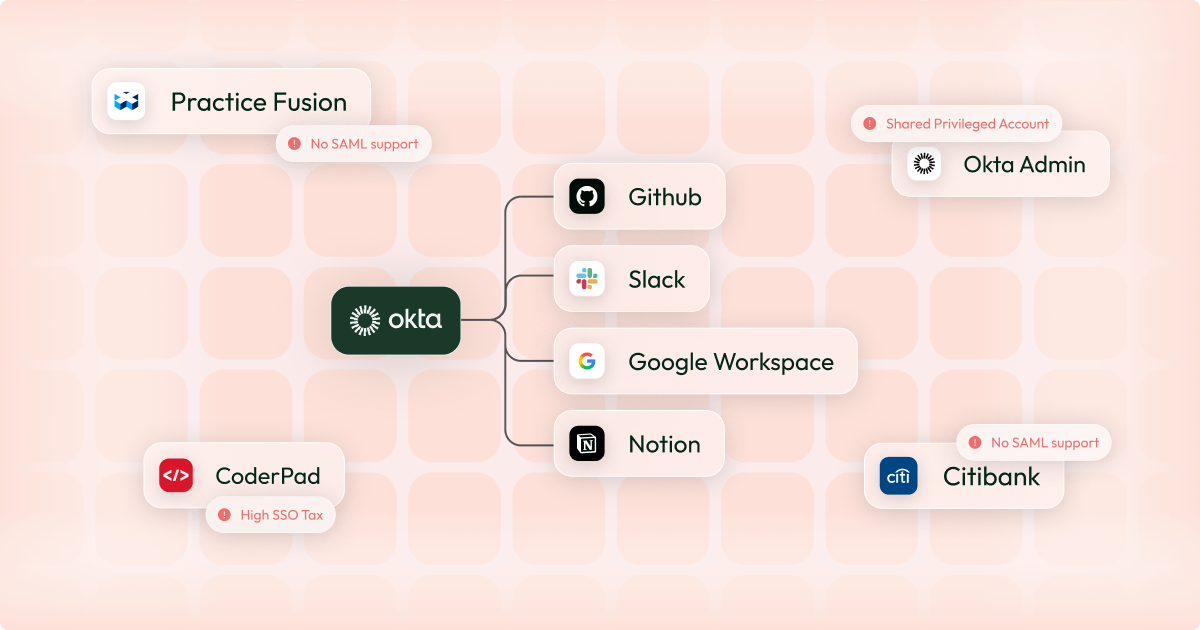
It's user access review season. Okta gives you a complete, real-time view of access across every connected app.
Then you hit everything else: banking portals, government systems, legacy tools - all outside your IDP. You build a spreadsheet, email the app owners, and get ready for four weeks of continuous follow-ups.
"Everything else" might only make up 30% of your applications, but it's where the majority of the problems will come from. This post explains how to bring those apps into Okta and turn a four-week review cycle into something that takes hours.
Why Okta Can’t Run Access Reviews for Non-SSO Applications
Most user access review tooling is built on the assumption that your apps are visible to your identity provider. Pull from Okta or Entra and run your certification campaign.
Every identity leader already knows the reality: their organisation runs on non-SAML or non-SCIM apps: banking portals, government platforms, and legacy systems that predate their Okta deployment.
The result is a two-tier review process: an effortless one for SSO-connected apps, and a migraine-inducing one for everything else. In most organisations, "everything else" represents a significant portion of the apps with access to financial systems, customer data, and regulated environments .
Even global financial institutions like JP Morgan haven't standardised these systems on SAML. For most organisations, these apps will remain outside the IDP. The question is how you build an automated user access review process that accounts for them properly.
What You Actually Need to Automate Non-SSO User Access Reviews
When most teams attempt to automate their non-SSO user access review process, try to automate the spreadsheet: sending reminder emails automatically, chasing app owners on a schedule, collating responses into a dashboard instead of an Excel.
These are band-aids, not automation. The data is still manually sourced from app owners, and it starts ageing the moment it's submitted. To automate non-SSO access reviews properly, you need three things:
Live data. Access data should be pulled directly from the application at review time, not collected from an app owner's memory or a manually maintained list. The question "who has access to this app right now?" should have a system-generated answer.
Automated remediation. When a reviewer decides to revoke access, that decision should execute, not create a Jira ticket or send an email to an app owner asking them to remove the user. The revocation should just happen, and the system should log that it happened.
A complete audit trail. Auditors want to know what the access state was at review time, who reviewed it, when, and what action followed. A spreadsheet response from an app owner satisfies none of this reliably.
The reason most non-SSO UAR processes fail all three tests is the same: without a connection to the application, you have no data source, no remediation path, and no audit log.
How Connecting Non-SSO Apps to Your IDP Solves This
The root cause of every failure mode above is the same: these apps sit outside your identity stack. They have no connection to Okta or Entra, so your tooling can't see them, can't pull data from them, and can't act on them.
Therefore the solution is to give them a connection to Okta. SSO Proxy platforms like Aglide can do this for any application, regardless of whether it supports SAML or SCIM integrations. If you want a deeper breakdown of the options, see how to manage non-SAML apps in Okta.
Once a non-SSO app is connected to your IDP via an SSO Proxy, the Okta-driven access review process for that app looks identical to your Okta-native apps:
- Who has access? Pulled directly from the application.
- Access changes? Reflected in your IDP in near real-time.
- Revocation? Executed automatically when a reviewer makes the decision, with a timestamped log.
- Audit evidence? System-generated, complete, and defensible.
Instead of two parallel processes (one automated for SSO apps, one manual for everything else) you have a single Okta-based UAR workflow that covers your full application estate. The apps that previously required four weeks of chasing now take the same time to review as everything else.
This also changes the role of the app owner. Instead of being the data source (the person who manually compiles and returns a user list) they become a reviewer - looking at system-generated data and making access decisions.
How to Automate Access Reviews for Apps Outside Okta
Once you have chosen your SSO proxy platform, connecting your non-SAML applications to your Okta UAR programme is straightforward.
1. Identify in-scope non-SSO applications
Define which non-SSO applications need to be connected to Okta. In most organisations, this includes banking and treasury platforms, payment providers and PSPs, government and regulatory systems, and legacy internal tools.
2. Connect each app to your SSO proxy
The specifics vary by platform, but typically involve working with the app owner to set up an app-specific integration, then configuring a SAML and SCIM connection to interface with Okta.
3. Pull live access data at review time
When the review is initiated, the system queries the application directly, retrieves the current list of users and roles, and presents that data to reviewers immediately.
4. Route reviews through your existing Okta workflow
Non-SSO apps should be indistinguishable from SSO-connected apps from the reviewer's perspective. Assign reviewers, present access in a structured format, capture approve/revoke decisions, and let the system handle remediation.
Compliance Impact: SOC 2, SOX, and PCI DSS
Compliance frameworks don't distinguish between SSO and non-SSO apps. If an application has access to sensitive data or financial systems, auditors expect evidence that access was reviewed using accurate, timely data.
SOC 2 CC6 requires that access to systems is reviewed periodically and that inappropriate access is removed. A spreadsheet compiled from app owner responses doesn't demonstrate that the underlying data was accurate at review time.
SOX ITGC controls require evidence of access reviews across financially significant systems. For fintech and financial services organisations, many of the apps that sit outside the IDP (treasury platforms, banking portals, payment systems, etc.) are precisely the systems auditors care most about.
PCI DSS Requirements 7 and 8 require that access to cardholder data environments is restricted and reviewed. The apps most likely to fall outside your IDP coverage are often the ones with the closest proximity to payment infrastructure.
The pattern across all three frameworks is the same: auditors are increasingly asking not just whether reviews happened, but whether the data underpinning those reviews was reliable. A system-generated access log with timestamped review decisions and automated remediation records is a fundamentally stronger evidence package than a collated spreadsheet, regardless of how carefully the process was run.
Frequently Asked Questions
Can Okta run access reviews on non-SAML apps?
Not natively. Okta's governance tooling requires apps to be connected via SAML or SCIM. Apps without these integrations are invisible to Okta, so access data has to be collected manually. An SSO Proxy connects these apps to Okta without requiring native SAML support.
What is an SSO Proxy?
An SSO Proxy (sometimes called an SSO Bridge or SAMLless SSO) is a layer that sits between your IDP and an application that doesn't natively support SAML or SCIM. It handles authentication and provisioning on the app's behalf, so your IDP can manage access as if the app were natively integrated.
How do I automate access reviews for banking portals?
Banking portals rarely support SAML or SCIM, so they sit outside Okta by default. Connect them via an SSO Proxy, which gives Okta a live view of access, enables automated deprovisioning on revocation, and generates an audit trail that satisfies SOX and SOC 2 requirements.
How long does it take to connect a non-SSO app to Okta?
Most integrations take no more then 30 minutes. There's no dependency on the app vendor - the proxy handles the translation layer. Once connected, the app is immediately part of your standard Okta UAR workflow.
Bottom Line
The split between SSO and non-SSO apps has created a two-tier identity governance reality: rigorous and automated for the apps your IDP knows about, manual and unreliable for everything else.
Fixing this doesn't require rebuilding your identity stack or forcing every app through a SAML integration project. It requires connecting these apps to your existing IDP in a way that gives your UAR process a live data source, an automated remediation path, and a defensible audit trail.
Gemini and other regulated financial services companies use Aglide to run full UAR cycles in hours, not weeks - across both SSO and non-SSO apps. Book a demo to see it in practice.